

Battery Draining
APPLE DEVICES
We need a screenshot that shows the % of Battery Health of the phone.
To reach this menu on iPhones you should follow:
Settings -> Battery -> Battery Health & Charging -> Screenshot.

Screen & Physical condition
At the time of warranty claim, a video is required to demonstrate the exact issue faced by the customer.
Please, use another device to take pictures and make videos where the issue is clearly visible. Make it as detailed as possible, to easily diagnose the issue.
Proof example:
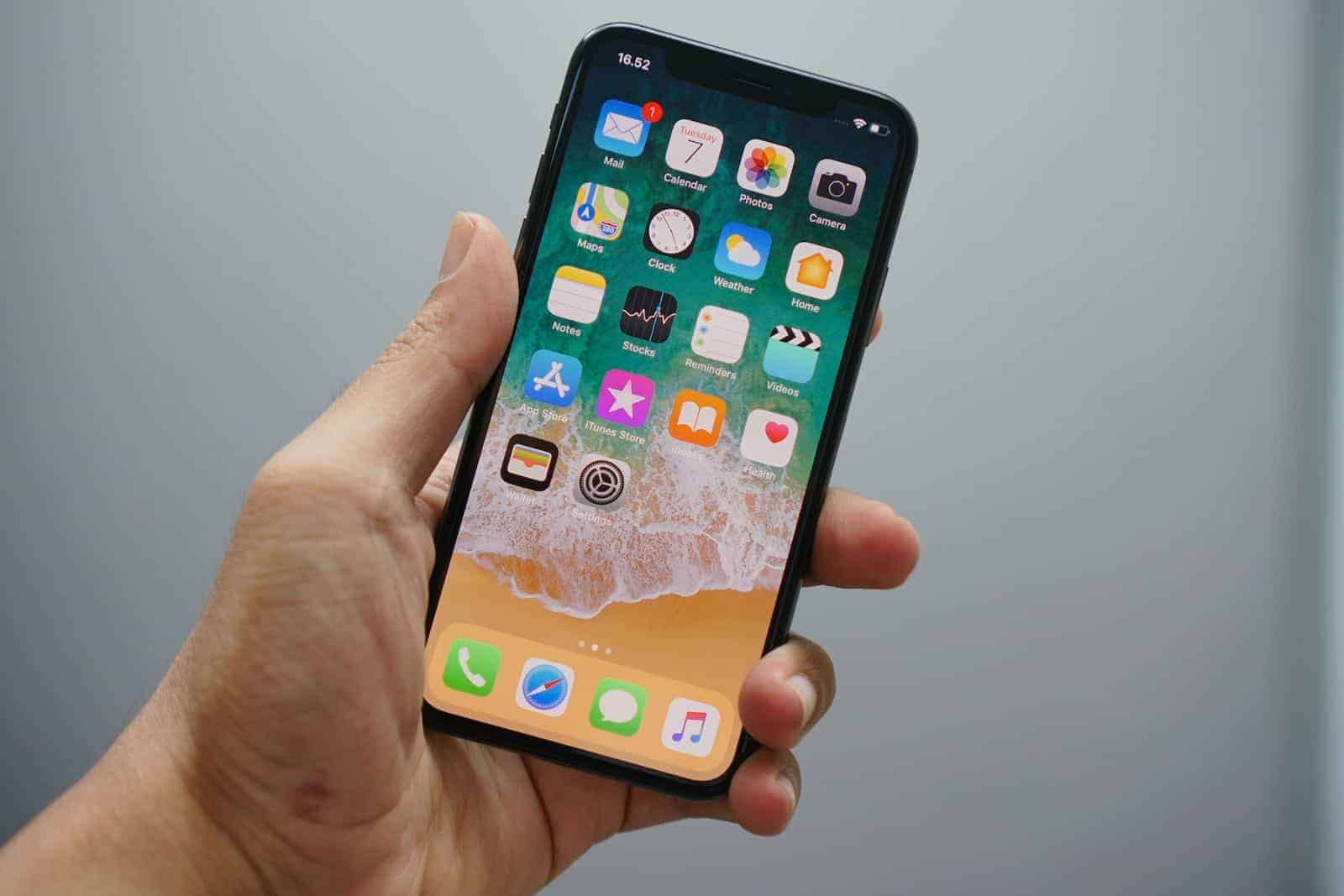
If the issue is about touch screen, make sure to:
- Adjust screen sensibility in your device (from Settings).
- If the problem persists, provide a video where the issue is visible and clear.
Wrong device
At the time of warranty claim, a video is required to demonstrate the exact issue faced by the customer.
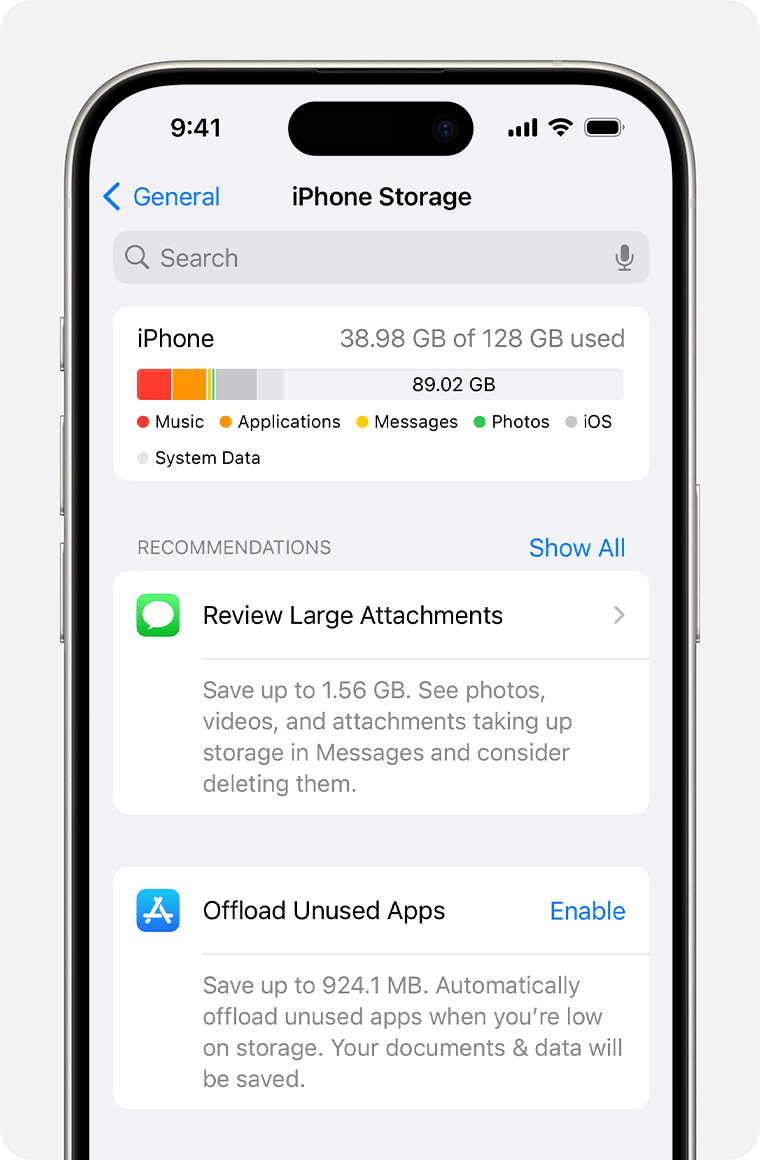
Wrong storage required proof:
Go to Settings > General > [Device] Storage > Screenshot
Wrong color required proof:
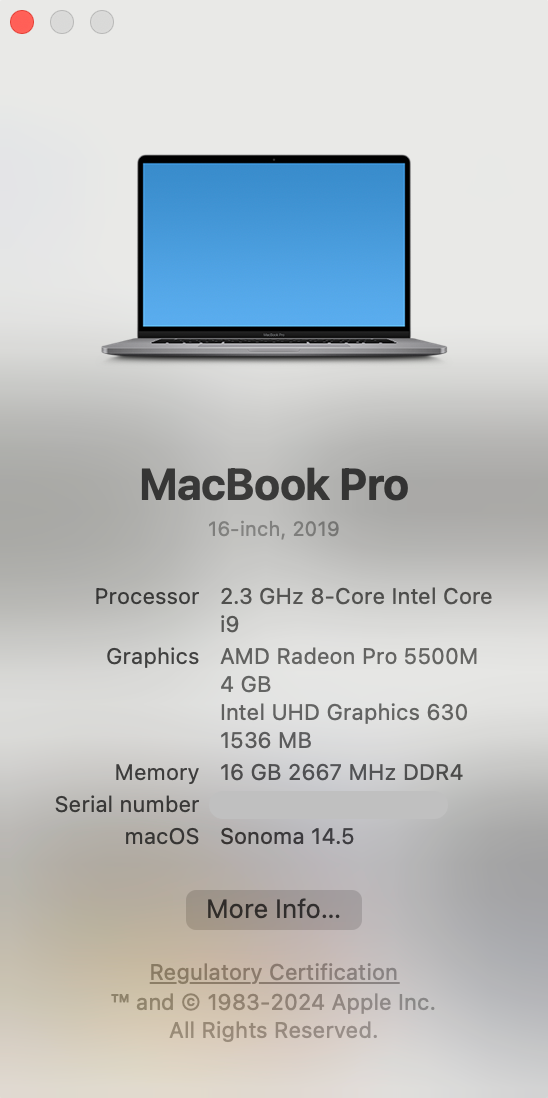
Wrong model MacBook required proof:
Go to Apple > About This Mac > Screenshot
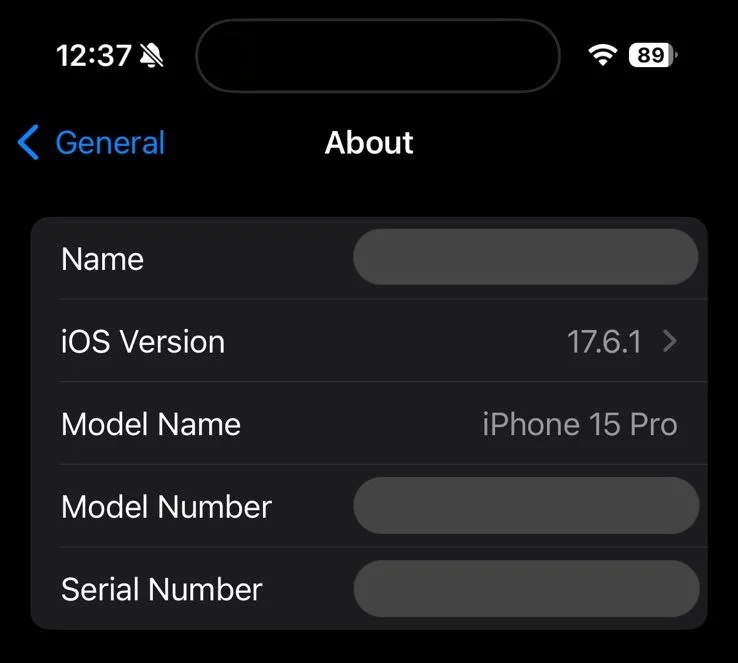
Wrong model iPhone required proof:
Go to Settings > General > About > Screenshot
Wrong language required proof:
- Hardware issue (microphone / speaker (audio) / camera / buttons)
At the time of warranty claim, a video is required to demonstrate the exact issue faced by the customer.
Please, use another device to take pictures and make videos where the issue is clearly visible. Make it as detailed as possible, to easily diagnose the issue.
For microphone issue:
Provide video (recorded with a different device) using the “Voice memos” app in your IPro Cell device or record a video speaking and play it at maximum volume.
For speaker (audio) issue:
Provide video (recorded with a different device) playing any video / song at maximum volume.
For camera issue:
Provide video (recorded with a different device) where the issue in the IPro Cell device is clearly visible.
For button issue:
Provide video (recorded with a different device) where the issue in the IPro Cell device is clearly visible.